BY WEBSITE RESIGN AGENCY DESIGN ORBITS
The High-Stakes Reality of Website Revamps
A website redesign should mark a major milestone for your business, a visual evolution that aligns your interface with your current brand identity, improves User Experience (UX), and drives conversions. However, for many business owners and digital marketing teams, a complete visual refresh comes with a hidden hazard: a sudden, severe drop in organic search engine visibility.
When codebases shift, URLs change, and layouts migrate, search engines like Google can easily lose track of your hard-earned authority. Without a strict, data-driven framework, your organic traffic can collapse overnight. This comprehensive manual breaks down how to strategically execute a visual overhaul while fully safeguarding your search rankings, leveraging insights directly from leading professional web optimization models.
Why Website Redesign Projects Risk Organic Traffic
When working with a specialized website redesign agency, the first phase of any project involves understanding search mechanics. Google doesn’t rank your site based on how attractive it looks; it ranks it based on code structure, text context, page loading speeds, crawl pathways, and historical link equity.
When you completely revamp a site, multiple structural changes occur concurrently:
• URL Architecture Shifts: The foundational path structures change (e.g., changing /about-our-company to /about).
• Semantic Content Disruption: Replacing old copy with new marketing messages can remove critical semantic keywords that previously drove your rankings.
• Codebase Alterations: Migrating your design stack to modern frameworks might create code blockages, deeper DOM structures, or unoptimized CSS/JS scripts that delay your Core Web Vitals.
Looking for clear operational warning indicators that your existing platform is directly hindering customer acquisition? Make sure to review our detailed structural review on the Signs Your Website Is Hurting Your Business to identify baseline interface and conversion bottlenecks before beginning your rewrite.
Want to know! how much does it cost to redesign a website? ConNECT Design Orbits
Phase 1: Pre-Launch Site Auditing and URL Mapping
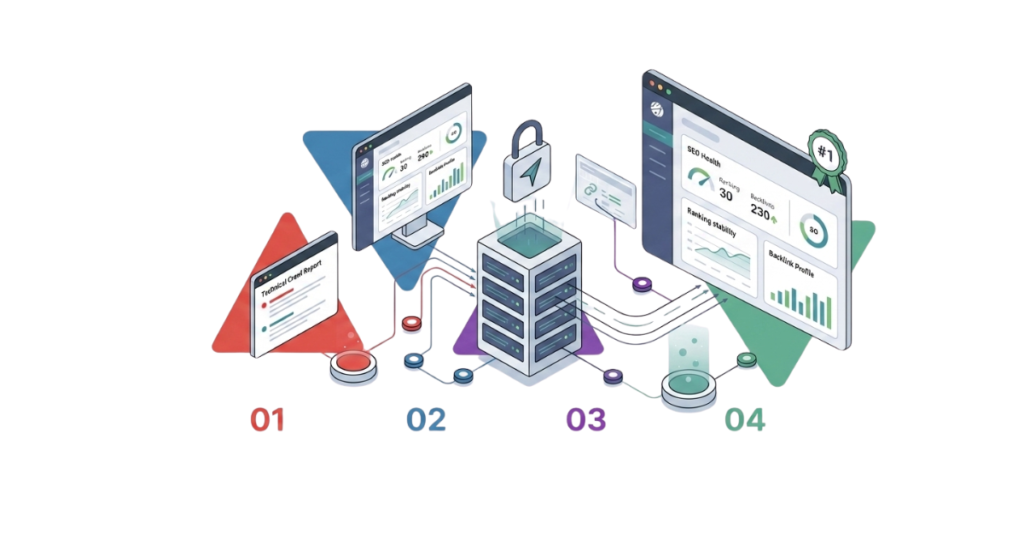
The foundational key to understanding how to redesign a website without losing SEO is meticulous preparation. Before a single pixel is modified in a sandbox environment, you must catalog every asset currently indexing on your domain.
Step A: Crawl and Document Everything
Use tools like Screaming Frog, Ahrefs, or Semrush to run an exhaustive crawl of your active site. Export every indexable URL, metadata description, and header configuration into a master migration tracking worksheet. This ensures you possess a baseline historical inventory.
Step B: Construct a Rigid 301 Redirect Architecture
If your URL structure must change during the redesign, you must build an explicit, one-to-one mapping sheet matching every legacy URL directly to its exact structural equivalent on the new site layout. Never point all old URLs lazily to the home page; this causes Google to treat them as Soft 404 errors, causing an immediate loss of domain authority.
Phase 2: Technical On-Page Structure & Core Web Vitals Optimization
When partnering with an enterprise website redesign company, the development cycle must integrate technical SEO protocols seamlessly into the design template phase.
Semantic HTML Hierarchy Optimization
Ensure that your modern page templates do not prioritize aesthetics over logical content hierarchy. Every page must contain exactly one <h1> tag targeting your primary keyword cluster, followed by cleanly organized <h2> and <h3> subheadings. Page elements like contact numbers, navigation links, and client testimonials should use standard paragraph classes—never wrap stylistic elements in heading tags.
Advanced Core Web Vitals Compliance
Modern interactive experiences rely heavily on high-fidelity portfolio grids and client case studies, which can severely slow down system performance if left unoptimized. Implement a mandatory media strategy:
• Next-Gen Image Compression: All platform visual elements must be compressed and served via modern next-gen image extensions (.webp or .avif). Raw .png or .jpg formats should be completely eliminated.
• Element Dimension Specifications: Incorporate layout constraints to eliminate Cumulative Layout Shift (CLS) bugs on mobile viewports.
Phase 3: The Pre-Launch and Post-Launch SEO Validation Checklist
Before flicking the final switch to take your updated platform live to the public, execute these vital validation steps within your staging environment:
1. Sandbox Verification: Confirm that your development sandbox uses explicit ‘noindex’ tags to prevent Google from crawling uncompleted, duplicate content versions.
2. Redirect Validations: Double-check that your global 301 redirect mapping script initializes instantly across all major server headers upon launch.
3. Structured Data Implementations: Inject custom JSON-LD Service Schema scripts directly into the codebase of individual offerings pages to provide search engine spiders with clean, explicit corporate context.
Conclusion: Choosing the Right Optimization Framework
A beautiful interface is meaningless if your target audience can no longer locate your platform via search engines. By treating your redesign as a strict strategic migration rather than just a cosmetic face-lift, you secure your market share, accelerate your digital visibility, and position your brand for sustainable online growth.
Ready to scale your digital ecosystem safely? Reach out to our specialized SEO for website redesign and migration team at Design Orbits to build a high-performance framework tailored for your business.
| Design Orbits answers all questions transparently on our website and in every project proposal. Bespoke web design, full SEO setup, fixed pricing, and complete ownership on delivery. Get a free no-obligation quote at designorbits.com/contact/ |
Worth Reading:
WordPress vs Custom Website: Which Is Better for Your Business in 2026?
How to Choose a Web Design Agency UK: 7 Questions to Ask Before You Hire
How Much Does a Website Cost for a Small Business in the UK?